
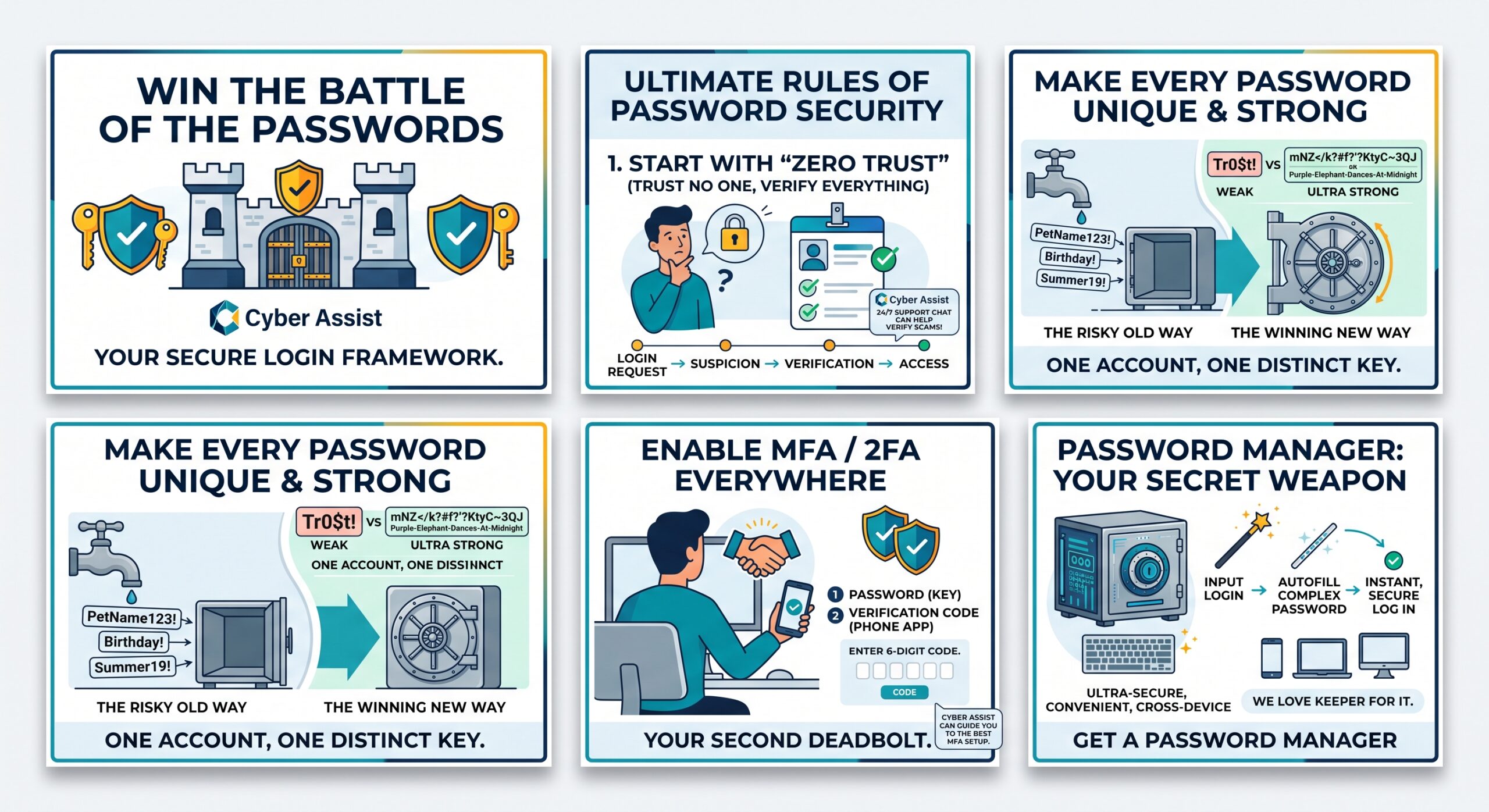
To beat scammers today, cybersecurity can no longer be an afterthought or a once-a-year chore. It has to become a seamless, frictionless part of your daily routine.
If you’ve already adopted these habits, we applaud you. You’re making life infinitely harder for cybercriminals. But if your go-to login still includes your dog’s name, your anniversary, or ends in 123!, it’s officially time for an intervention. In an era where credential leaks happen daily, relying on weak or recycled passwords is like locking your front door with a piece of sticky tape.
Securing your digital identity doesn’t have to be overwhelming—you just need to integrate the right framework into your workflow. Here is how to WIN the BATTLE of the PASSWORDS and outsmart scammers for good.
1. Build a “Zero Trust” Workflow
At the heart of modern cybersecurity is a simple philosophy: Zero Trust. Old-school security assumed that once someone got inside a network or account, they were safe. Zero Trust flips the script: Assume every login request, link, and prompt is suspicious until proven otherwise.
-
Integrate It: Before clicking “Approve” on an unexpected push notification or entering credentials into a login page, pause. Did you initiate this request? If an email from your bank or a message from a coworker asking for access feels even slightly off, verify it through a second, independent channel (like a quick phone call) before taking action.
2. Automate Unique, Ultra-Strong Passwords
Reusing the same password across multiple sites is the single fastest way to get hacked. If a random fast-food rewards site gets breached, cybercriminals immediately test those exact credentials on your email, banking, and social media accounts—a technique known as credential stuffing.
-
Integrate It: Stop trying to invent passwords yourself. When signing up for new accounts or updating old ones, let your browser or password manager generate a 20+ character random string or a long passphrase (e.g.,
Purple-Elephant-Dances-At-Midnight). -
The Golden Rule: One account, one password. No exceptions, no recycled variations.
3. Make Multi-Factor Authentication (MFA) Non-Negotiable
Think of Multi-Factor Authentication (MFA or 2FA) as the deadbolt on your digital front door. Even if a thief manages to steal or guess your password, MFA ensures they still can’t log in without that second verification step.
-
Integrate It: Set a rule in your personal workflow: whenever you open a new account or log into an existing one, visit the security settings immediately and turn on 2FA.
-
Pro-Tip: Upgrade from SMS text codes to an authenticator app (or hardware security keys like YubiKeys), which are immune to SIM-swapping scams.
The Secret Weapon: A Dedicated Password Manager
How are you supposed to remember 80+ unique, 20-character passwords? You aren’t. Attempting to memorize them only leads to bad habits, like using Password123 or keeping sticky notes on your monitor.
A dedicated password manager changes everything by making security faster than convenience:
-
Ultra-Secure: Everything inside your vault is locked using zero-knowledge, bank-grade encryption.
-
Seamless Syncing: Access your credentials across your phone, laptop, desktop, and tablet.
-
Instant Auto-Fill: It generates complex passwords on the fly and auto-fills them so you never have to type out long strings again.
While we love and rely on Keeper for its robust security architecture and enterprise features, using any reputable password manager puts you light-years ahead of the competition.
❌ Dangerous Workarounds to Retire Immediately
-
Unsecured Spreadsheets: Storing unencrypted passwords in Excel, Word, or Google Sheets leaves your credentials exposed to basic malware.
-
Physical Notebooks: A paper notebook sitting on your desk can be easily viewed, misplaced, spilled on, or lost forever.
-
Browser Memory Alone: Relying solely on basic web browser storage without a master password leaves your data vulnerable if your device is physically compromised or infected.
The Bottom Line
Winning the battle of the passwords isn’t about memorizing impossible strings of characters—it’s about building smart, automated habits. Adopt a Zero Trust mindset, lock down your logins with MFA, and let a password manager do the heavy lifting for you!